
LOCAL SPIRIT. BETTER MEETINGS.
- Mumbai teams, make every meeting minute count.
- Jodhpur teams, bring every idea to the table.
- Bengaluru, keep great ideas moving.
- Chennai, let every idea be heard.
- Hyderabad, big vision. Better meetings.
- Kolkata, bring every perspective closer.
- Pune to Kochi, make room for your next big idea.
- Ahmedabad to Jaipur, meet with purpose.
- Mumbai, clear conversations for a busy day.
- Delhi NCR, bring every office into the conversation.
- Bengaluru, sync the team. Build what’s next.
- Chennai, connect your expertise to the world.
- Hyderabad, bring your next idea to the table.
- Kolkata, turn a good conversation into a great idea.
- Chandigarh to Coimbatore, keep the conversation going.
- Indore to Guwahati, bring your team closer.
THOUGHTFULLY CHOSEN. PERSONALLY PLANNED.
A better room starts with
the people in it.
Start with the way you meet.
01 / YOUR ROOM, REIMAGINED
A room that works.
For the way you meet.
Measure your room in feet or metres, add the number of people and see the layout. We’ll help you ask the right questions before choosing equipment.
3D ROOM PREVIEW
Live previewYour meeting room.
6 × 4 m · 7 people
Table finish
Seats
MD · Head of the table
Illustrative layout · Drag to rotate.
1 MD + 6 teammates
TAKE THE STUDY INTO YOUR SPACE
Place a seven-seat reference setup at life size on a compatible phone.
LET’S START WITH YOUR SPACE
A little detail.
A clearer picture.
- Display to discuss
- MAXHUB kit
This V7 starting plan includes the mandatory MT71E OPS Windows PC module, quoted separately. Confirm the actual room layout, accessories and installation in the partner’s quote.
02 / FIND YOUR ROOM’S FIT
MAXHUB video bars.
Built around your room.
Compare MAXHUB video conferencing bars for laptop-based meetings and dedicated Teams Rooms. Choose the workflow, then check the camera, sound and installation for your office.


03 / THINK BEYOND THE SCREEN
Interactive panels.
Room for every idea.
Explore MAXHUB interactive flat panels for office presentations, whiteboarding and hybrid collaboration in India.
Compare interactive flat panels for offices ↗
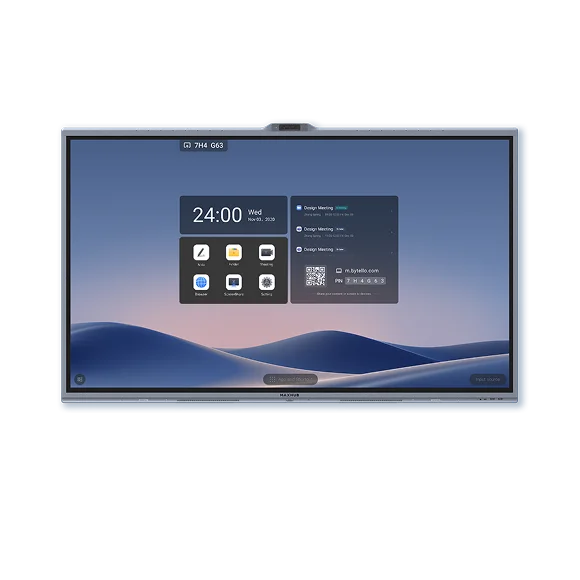
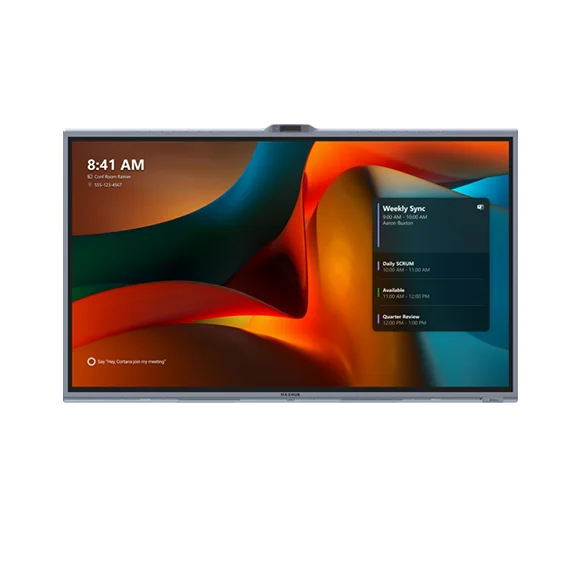
Standard V7 and V7 MTR are different setups. Check the separate PC module, meeting software and exact model before choosing.
FOR THE PEOPLE SHAPING WHAT’S NEXT
Room for ambition.
Built for your business.
For business owners bringing teams together. For IT teams making rooms easier to use and manage. For office and buying teams planning the complete setup.
Explore the enterprise meeting-room guide ↗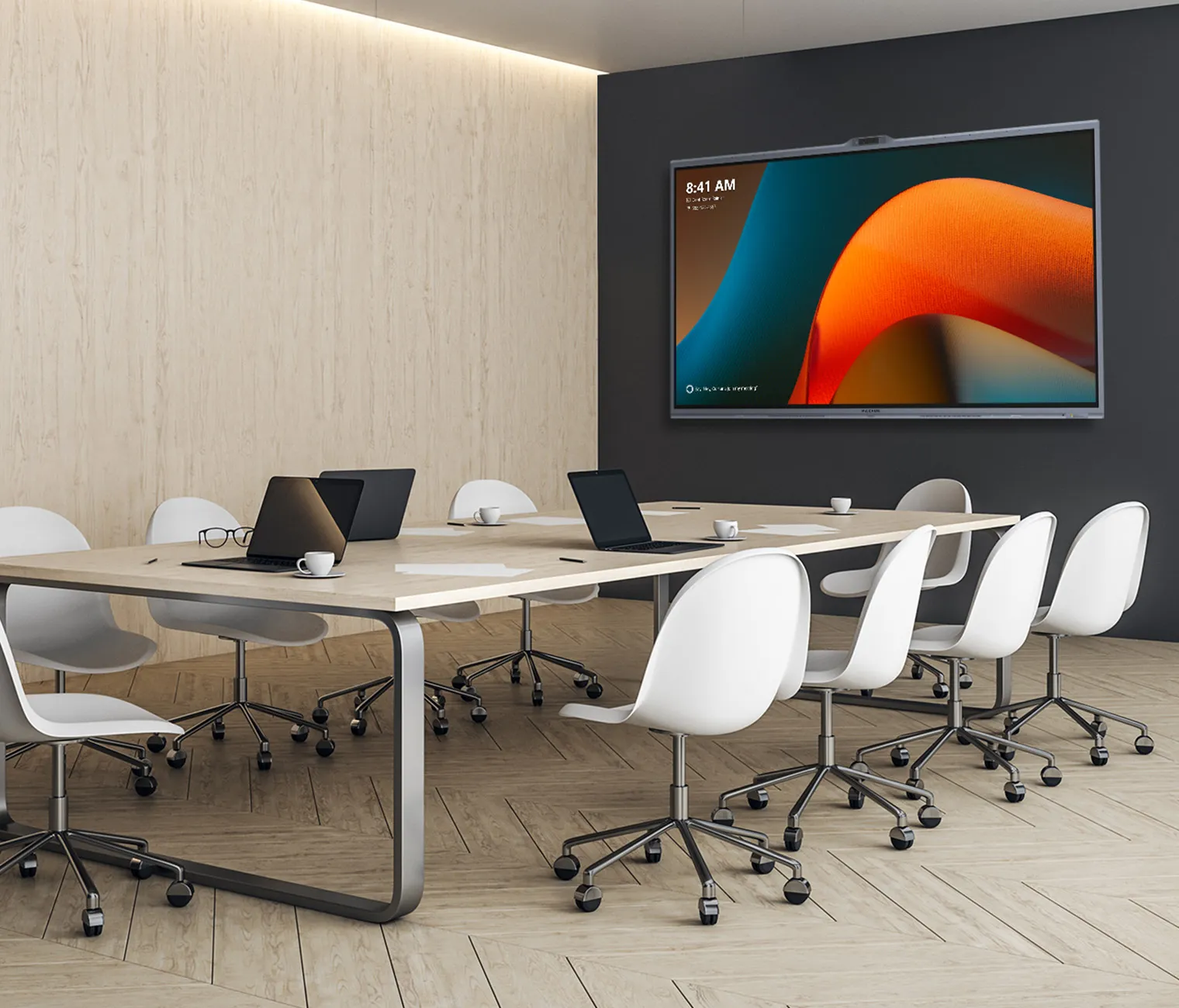
YOUR PROJECT. YOUR NEXT STEP.
Great meetings start
with the right questions.
Choosing a room, preparing a proposal or getting a system back on track? Start with what you need to do.
Find your room’s fit.
Compare meetings run from a laptop, room-owned Teams systems and touch displays for working together.
Compare MAXHUB products ↗See it before you decide.
Ask for a demo around your room, meeting platform and the things your team needs to test.
Request a product demo ↗A quote with the details.
Bring your quantities, exact models and required date. Make room for installation and accessories too.
Prepare your quote request ↗Move a project forward.
Prepare your equipment list, ask to see the product or discuss the documents needed for a tender.
Explore project help for partners ↗SERVICE & SUPPORT / BEYOND THE FIRST MEETING
A great room needs
someone behind it.
From the first setup to the meeting that cannot wait, start with a clear support request and an agreed next step.
Installation & handover
Discuss mounting, connectivity, room testing and user orientation as part of your project scope.
Discuss setup support ↗Troubleshooting
Report camera, microphone, display or connection issues with the model, symptoms and location.
Request technical support ↗Care & service coordination
Ask about maintenance, firmware planning, warranty coordination or a room health review.
Discuss ongoing care ↗Already have a MAXHUB room?
You can raise a support enquiry even if you are not planning a new room. Service scope, local availability, warranty eligibility and any charges are confirmed after review.
Email the team ↗THE INTELLIGENCE OF BETTER MEETINGS
AI with a purpose.
People at the centre.
Three perspectives on MAXHUB V7 and the boardroom: how we see each other, hear each other and stay part of the conversation.
THE LEADERSHIP PERSPECTIVE
Why shortlist MAXHUB V7 for your boardroom?
The best boardroom earns its place in the business by helping people contribute. That is the lens through which we look at MAXHUB V7—and why its approach to AI matters.
Read the articleAI & VISUAL ATTENTION
MAXHUB V7 AI camera: follow the conversation.
Someone at the far end of the table has the idea that changes the discussion. The meeting view should help remote colleagues stay with that moment. This is where V7’s camera intelligence becomes interesting.
Read the articleAI & THE LISTENING EXPERIENCE
MAXHUB V7 AI audio: hear every contribution.
A quiet question can be the most valuable contribution in the room. Our case for V7’s audio intelligence starts with the person trying to hear it from somewhere else.
Read the article04 / SEE IT. GET IT.
Good technology.
Simply explained.
Product walkthroughs in English, Hindi and Telugu.
GROW WITH NAMASTE
Local expertise.
Shared ambition.
Sell MAXHUB meeting rooms in your city, with support from us.
Already working on a customer opportunity? Prepare a partner project brief to see a product, review an equipment list or request tender documents. Use this form for new partner introductions.
- Enquiries from our website and videos
- Videos you can share with your customers
- Demo support on your projects
- Project coordination with the channel team
THE IDEA BEHIND NAMASTE
Built around
better conversations.
Namaste Meetings helps organisations across India understand video conferencing and meeting-room technology, compare MAXHUB products and prepare a clearer project enquiry.
Our ambition is to make better meetings accessible—from leadership boardrooms to everyday hybrid collaboration, and from a single office to projects across multiple cities.
Namaste Meetings is run by Hemanth Chowdary, who works with MAXHUB products at Shree. Purchases are quoted and billed by authorised partners.
BEFORE YOUR NEXT MEETING ROOM
Good questions.
Clearer choices.
Practical answers for office teams planning video conferencing in India.
How do I choose a video conferencing system for my office?
Start with your meeting platform, room dimensions, seating and guest use. A laptop-led BYOD room and a dedicated Microsoft Teams Room have different connection and management needs. Use our meeting-room buying guide, then explore a room layout before shortlisting equipment.
Which MAXHUB video bar should I shortlist?
XBar U50 supports a USB BYOD workflow. V50 and V70 are Android MDEP Teams Rooms options; W70 is Windows-based. Room size alone is not enough: check camera coverage, microphone performance, platform policy and the complete package. Compare U50, V50, V70 and W70.
What is the difference between MAXHUB V7 and V7 MTR?
Standard XBoard V7 is an interactive collaboration display that needs a compatible PC module supplied separately. V7 MTR is the dedicated Microsoft Teams Rooms configuration. Confirm the exact model, compute, controller and licences in the quote.
What should I include when requesting a meeting-room quote?
Share your city, number of rooms, dimensions, seating, preferred meeting platform and target date. Include mounting, cabling, installation, licences and support in the scope. Read our quote request checklist or request a quote. Product availability and the partner route are confirmed after review.
Where can I find MAXHUB manuals and installation support?
The Service & Support library links to user manuals and installation guides for the products on this site. For a room issue, send a support enquiry with the model, symptoms and location. Service scope, warranty eligibility and any charges are confirmed after review.
LET’S START WITH YOUR ROOM
Tell us what
you have in mind.
Tell us your city, room count and meeting priorities. Ask to see a product, get a quote or discuss your room below. We’ll review the requirement and confirm the next step.
Prefer to talk? Call Hemanth Chowdary on +91 76718 76240. Have your project city, meeting platform and room dimensions ready.
A CLEARER START / ACROSS INDIA
From Mumbai to Jodhpur. A clearer start.
Tell us what the room is for. A good plan starts with the people who will use it.
- Measure the room and note how many people will sit in it.
- Tell us which meeting app or laptop you use.
- Ask for the equipment, installation and support scope in writing.
Supply, installation and service are confirmed for your site after an enquiry.